Real Estate Fund Screening for Indirect Investment
The problem
Choosing indirect real estate vehicles means reading factsheets that were never built to be compared. Every allocation review, someone rebuilds the same screen by hand from inconsistent disclosures, and it is stale before the committee meets.
What Quanthome does
Screen every listed and non-listed Swiss real estate investment vehicle on one consistent set of financial, ESG and risk criteria, benchmark any shortlist against any index, and save the screen so the next review is a refresh, not a rebuild.
Read the whole REIV universe on one base.
See every vehicle together
Screen every listed and non-listed Swiss real estate investment vehicle on one consistent set of financial, ESG and risk criteria, so the universe reads as one comparison instead of a stack of factsheets built to stand alone.
Stop rebuilding the screen
Every vehicle is read on like-for-like figures drawn from financial, ESG and administrative fields per asset, so no one re-collects disclosures or fills gaps by hand before the shortlist can take shape.
Reach the shortlist sooner
A saved screen carries its criteria and benchmark forward and reopens on current data at the next allocation review, moving the time from assembling the comparison to making the judgment.
How allocators screen the whole REIV universe
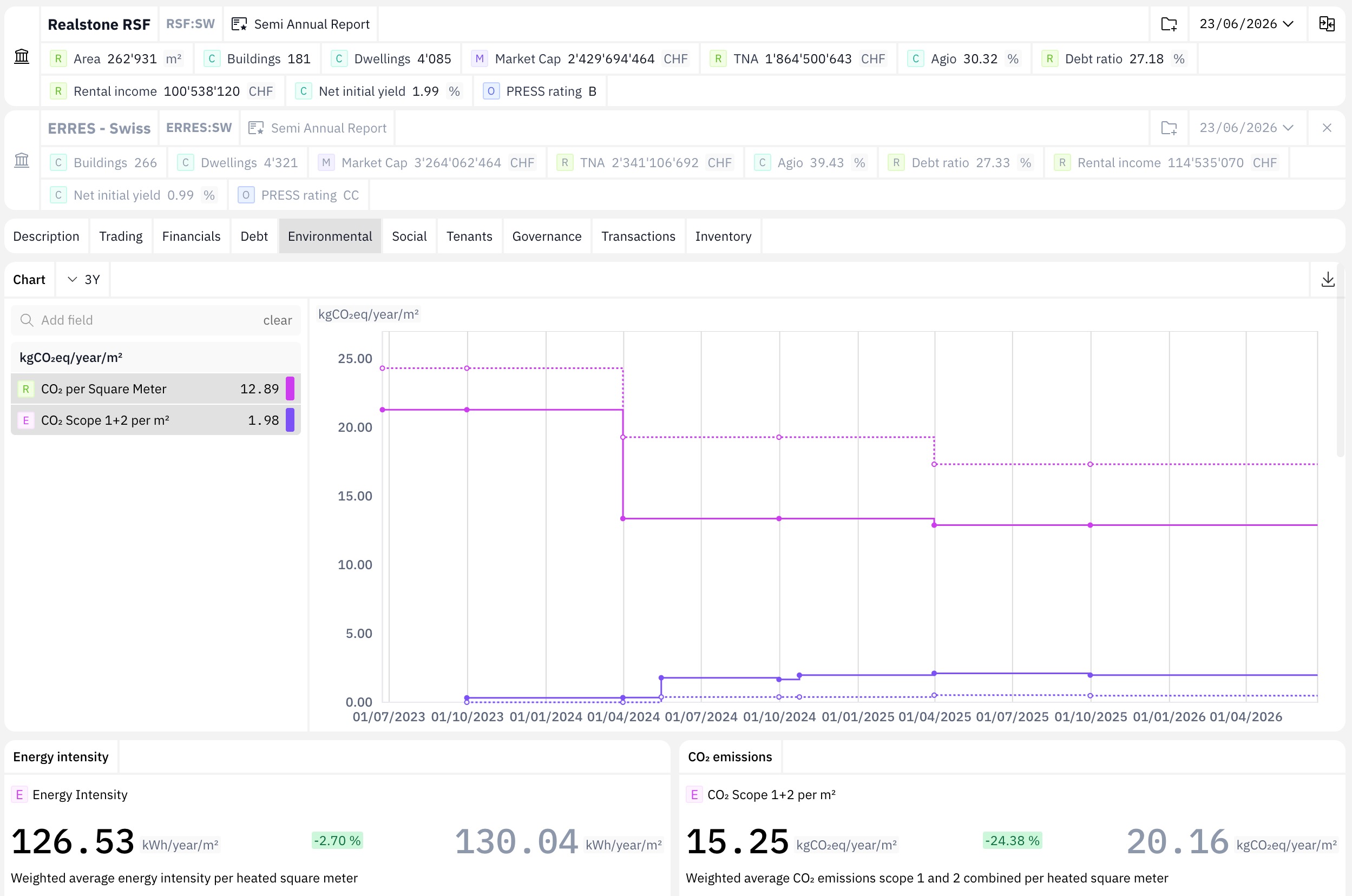
Choose the REIV universe to screen from every Swiss real estate investment vehicle: listed and non-listed funds, investment foundations and listed property companies, all on one maintained base. Coverage is consistent across vehicle types, so listed and non-listed are screened together in one pass.
Filter and rank the universe on the criteria that fit the mandate, financial, ESG and risk KPIs drawn from the fields held for each asset. No gap-filling from inconsistent disclosures: every vehicle is read on like-for-like figures.
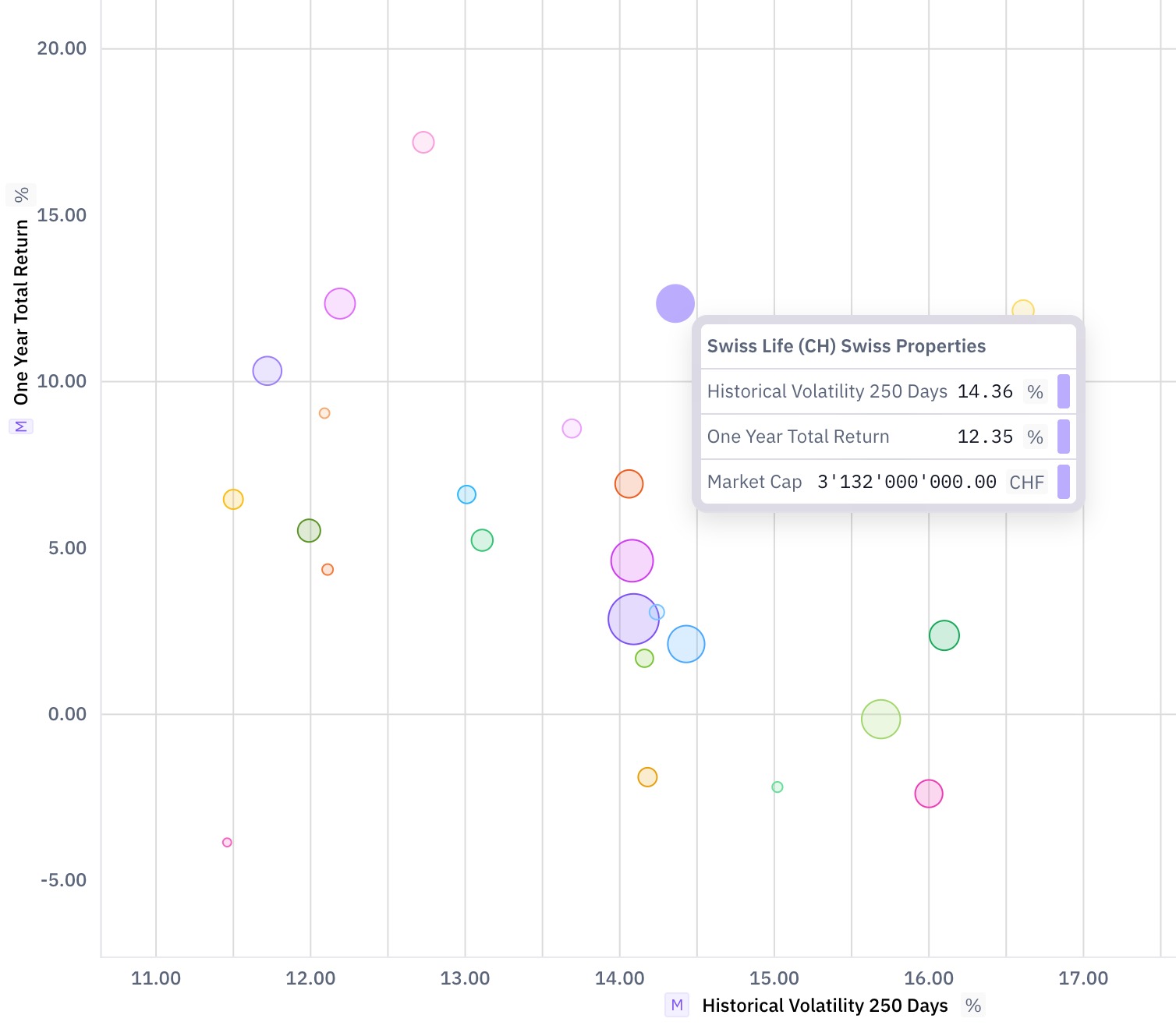
Read the shortlist against any index or a custom peer set on charts, then export the comparison. Save the screen so the next allocation review reopens it on current data, not a blank sheet.
Built for
The allocation desks and advisers that select indirect real estate vehicles.
Owners & operators
Quanthome gives direct asset owners and the property managers who run their buildings one consistent, building-level view, performance, tenancy, capex and risk, from the same data.
Asset allocators & indirect real estate investors
One view across your direct buildings and your indirect holdings, down to the building, for the reports and decisions your team owns.
Advisors, consultants & brokers
Advise clients on current transaction and market data, not a deck rebuilt by hand. Spend less time producing decks and more on the analysis the client pays for.
Researchers
The full real estate dataset, covering buildings, transactions and vehicles, ready for research and market analysis.
See How Quanthome Supports Indirect Investment Analysis
Fund selection in Swiss indirect real estate: what the data gap costs in practice
Listed and non-listed Swiss REIVs: how to compare vehicles on a consistent base
Benchmarking a REIV shortlist: building the comparison set before the allocation window closes
What our clients say
“For the MFM Swiss Immo Diversified strategy, Quanthome provides us with the data we need to support our selection process and allocation decisions. Their platform & API allow us to integrate this information directly into our investment framework, helping us combine quantitative analysis with a deeper understanding of the underlying dynamics of the Swiss real estate market. Their insights and availability, including their participation in some of our investment committee discussions, make them a strong partner in our real estate investment process.”
What People Ask Before the First Screen
What is a Swiss REIV?
A real estate investment vehicle is any structure that holds Swiss property on behalf of investors, including listed and non-listed real estate funds, investment foundations and listed real estate companies. Quanthome covers them on one maintained base, listed and non-listed alike.
Can listed and non-listed vehicles be screened together?
Yes. Coverage is consistent across vehicle types, so listed and non-listed funds are screened together in one pass on the same financial, ESG and risk criteria, without gap-filling from inconsistent disclosures.
How do I compare real estate funds?
Compare them on one consistent set of financial, ESG and risk criteria rather than on each fund's own factsheet, since those are not built to be read together. In Quanthome you screen every covered vehicle at once, benchmark any shortlist against an index or a custom peer set, and save the screen so the next review reopens on current data.
Which benchmarks can a shortlist be compared against?
Every vehicle on a shortlist can be compared against any index you choose or against a custom peer set defined to fit the mandate. The benchmark is stored with the screen and reopened on current data at the next review.
How does a saved screen save time at the next review?
A saved screen carries its criteria, its benchmark and its shortlist forward. The next allocation review reopens it on current data rather than a blank sheet, so the time moves from assembling data to making the judgment.
Every vehicle is screened on the same fields, review after review
Tell us the mandate and the benchmark. We will build the screen with you in a working session.
Book a working session